QOL & Gameplay
The server has many modifications to it which change gameplay and mechanics
AFK
After 5 minutes of inactivity, you will be automatically marked as AFK. While AFK, mobs to not target you and you do not lose hunger. Any movement or chat will mark you no longer AFK.
You can also go AFK by running the /afk command.
Note: Mobs/Players can push you while AFK
If a mob or player pushes you while AFK, that movement will cause the server to consider you no longer AFK. This is a limitation of the game itself, we cannot change the mechanics of this on the server.
Sleep
The server will automatically skip through the night when 33% (1/3) of the online players are sleeping.
Tree Chopping
Trees will "fall" if you chop the bottom block with an axe. They will also auto-replant a sapling at the base. There is a chance blocks of leaves, apples, and golden apples will drop.
No Insomnia (Phantoms)
We've collectively agreed that phantoms are annoying and disabled them.
Random Tick Rate
The random tick rate, responsible for many mechanics such as crop growth, has been increased from the default of 3 to 9.
Mob Spawners
Mob spawners can be mined using a pickaxe with Silk Touch.
Spawn Egg Drops
There is a 0.01% chance a spawn egg will drop when killing a mob. These are useful for changing the type of a mob spawner (and for bragging!)
Head Drops
There is a 1% chance a player will drop its head when killed. We don't encourage random acts of PvP (in fact this may be a bannable offense), but PvP battles are allowed if everyone involved wants to participate.
There is also a 0.1% chance a mob will drop its head when killed. These can be used as decoration blocks or to simply brag about.
Scale Command
You can scale your player from 0.6 to 1.5x its normal size using /scale <size>! 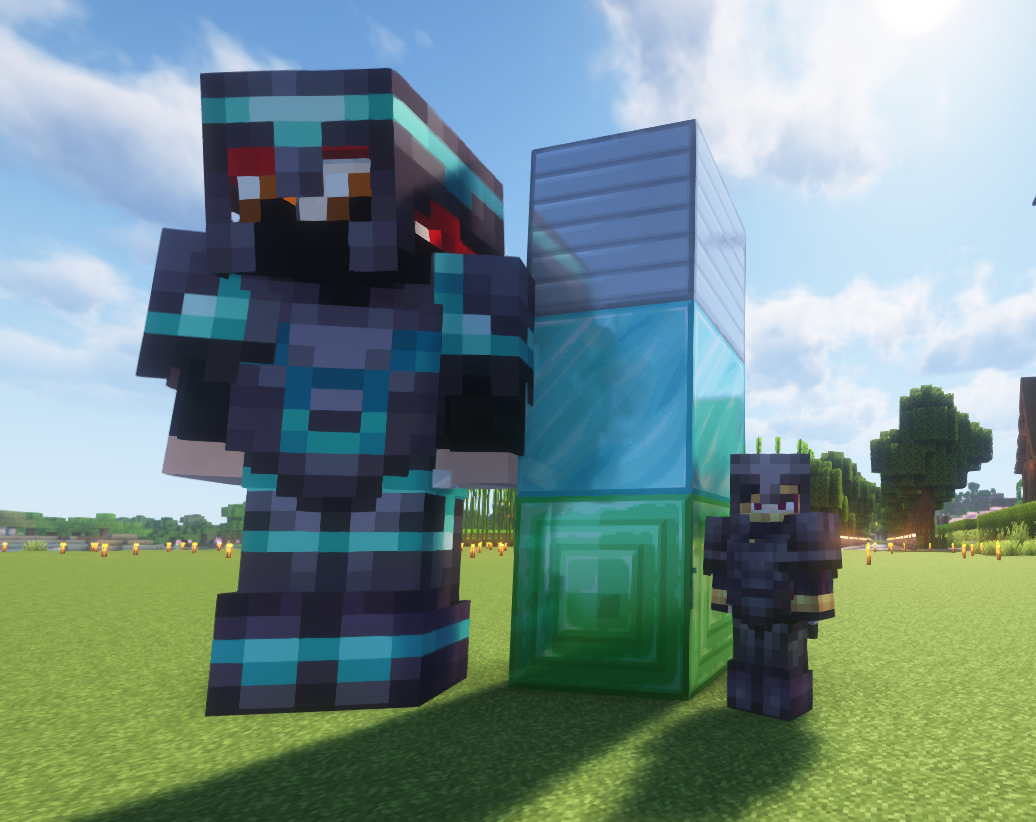
Random Mob Sizes
Mobs will spawn with random sizes from 0.7 to 1.3x their normal size. Only their size is changed, they still have the same amount of health and damage as a normal sized mob.
Sit, crawl, bellyflop, lay, spin
These are just fun commands to try out! Use shift/crouch to get out of these.
/sit- Makes your player sit. You can also left click certain blocks like stairs to sit./crawl- Makes your player crawl/bellyflop- Like crawl, but you can't move/lay- Makes your player lay down on it's back (like sleeping, but anywhere)/spin- Makes your player spin (best viewed in third person)
Invisible Item Frames
To make an item frame invisible, simply crouch and right click the frame with shears.
Note: Invis Item Frames on Bedrock
Invisible item frames do not render as invisible on Bedrock and appear normal instead. Unfortunately this is a Bedrock limitation.
Double Doors
When two doors are next to each other, both doors will open/close when one door is opened/closed.