Warps
Tip: Don't move while teleporting!
Before you teleport, you must stand still for 5 seconds. This balances teleporting by not allowing a player to teleport out of a combat situation.
Warping is a great way to explore the server and quickly get to a destination!
Warp Command
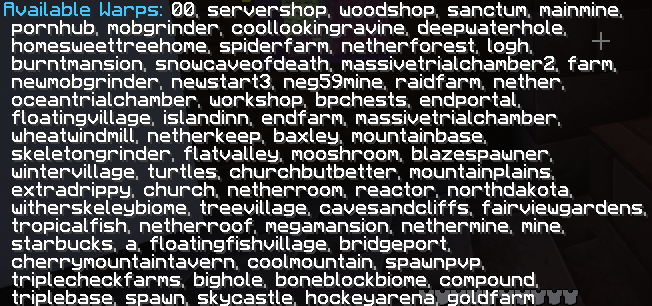
The /warp command will list all available warps. On Java Edition, you can click the name of a warp in chat to teleport there. On bedrock edition, use /warp <name> where <name> is a warp name to teleport.
Creating a Warp
Each player may create up to 5 global warps that everyone can use. Simply use /setwarp <name> where <name> is what you want to name your warp and a warp will be created at your current location.
Deleting a Warp
If you would like to delete a warp you have created, you can use /delwarp <name>.
BlueMap
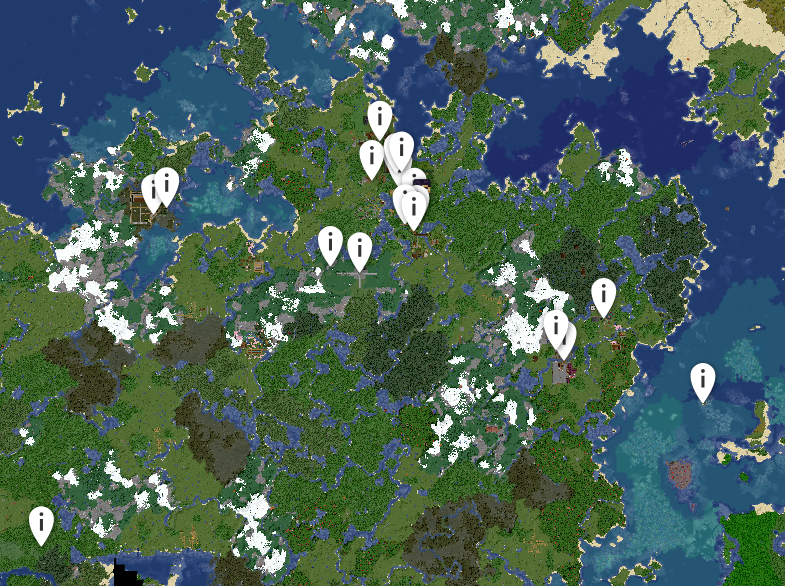
On the server's Live Map, warps are shown as markers across the map
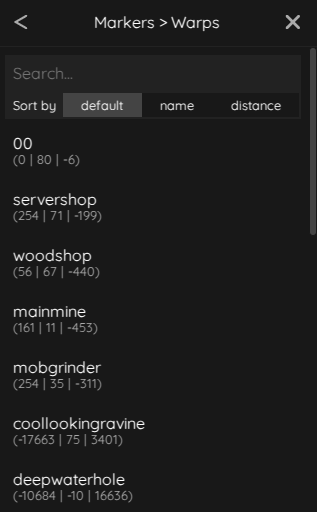
You can also search for warps by using the sidebar. Open the sidebar, then go to Markers > Warps to view all warps by name & location